

Power Platform Dataflow Tutorial Deep Dive
Power Platform Dataflow Tutorial Deep Dive

- Read more about Power Platform Dataflow Tutorial Deep Dive
- Log in or register to post comments
Power Platform Dataflow Tutorial Deep Dive

Want to document a Power Apps Solution?
Power Docu provides a easy way of doing it by documenting Flows, Canvas Apps and other Power Apps solution components in the form of a Word Document or in a markdown format (GitHub or Azure Devops style) by using an self contained Windows Gui application.
All info over this link here: https://github.com/modery/PowerDocu
Power Docu support the generation of documentation for Power Apps based on a local solution .zip or on a .msapp file.


Dynamics 365 Dataverse TDS endpoint Control Access and rights
Following up on the previous two articles regarding subjects How to access the Dynamics 365 online SQL Server database and Dynamics 365 / Dataverse access SQL Server database from C#, here's a third one that will illustrate how to control access to this endpoint.

Dataverse Dynamics 365 Load testing for Model-driven app
In today's digital landscape, where user expectations for seamless, high-performing applications are at an all-time high, ensuring the reliability and scalability of software systems is paramount. Performance testing emerges as a critical practice in the software development lifecycle, aimed at evaluating the responsiveness, stability, and scalability of applications under various conditions.

PowerApps Model Driven UI Testing with Playwright
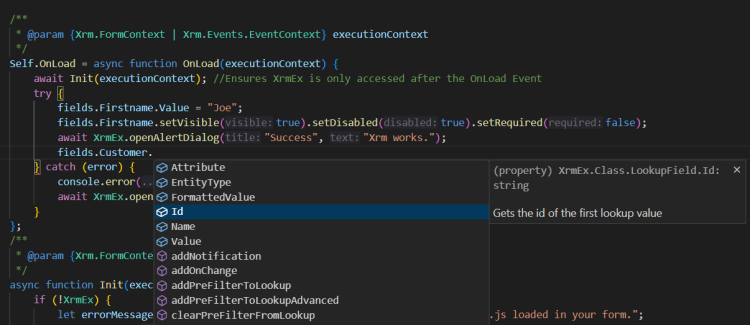
Enhancing Dynamics 365 Client API Interaction with Xrm-Ex
Stepping into software development for Dynamics 365, developers come across various tools and frameworks to make working with its Client API easier. Xrm-Ex stands out as a strong framework designed mainly for JavaScript, even though it has roots in TypeScript. The main goal of Xrm-Ex is to simplify how developers interact with the formContext and the Xrm Object. By doing this, it aims to reduce the amount of code developers have to write, making the codebase easier to manage and less likely to have errors.

Error handling in Power Automate flows
Low Code solutions using Power Automate flows are becoming more and more popular in CRM Dynamics projects. But often low code solutions show maintenance issues because of the tendency of the developers (myself included of course) to neglect the exception handling aspects of the power automate flows under the assumption that "low code" also means "low error handling".

Filtering Dynamics 365 Finance and Operations Dataverse Virtual Entities in Customer Portal
PowerApps portal helps you exposing CRM data to your customer through a web application. It works pretty well when the data are persisted in CRM, then we can use all the power of the dataverse platform to propose forms, views and processes to the end customer.
The CRM Portal Management application proposes a full set of tools to manage the customer access: Table permission, Web Roles, Content access level, Web Page Access etc... but there are some limitations to it.
Hi, Guys,
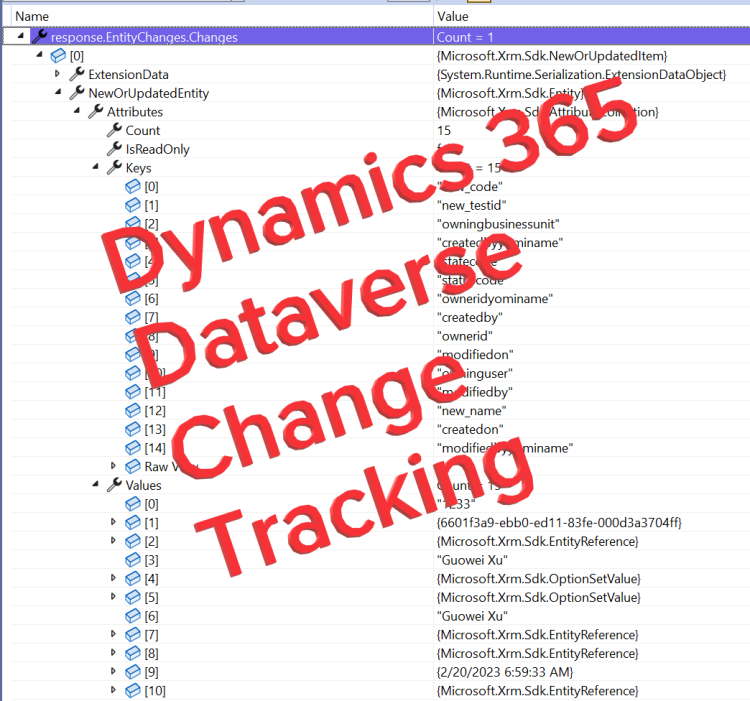
Today I would like to share the Change Tracking feature of Dynamics 365 CRM.
Change Tracking enables incremental export, only records that have changed are exported.
In addition, you can export or retrieve a selected set of data, and then keep the external data warehouse in sync.
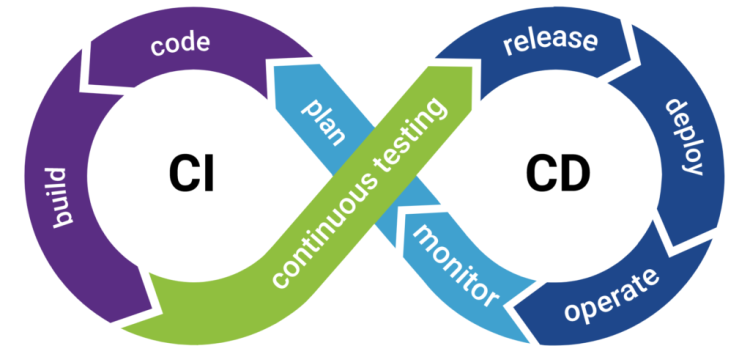
Power Platform Managed Environments and Pipelines:
What is Managed Environments?
Managed Environments is a suite of capabilities that allows system administrators to manage Power Platform with more control, less effort, and more insights. Administrators can use Managed Environments with any type of environment except the Developer environments.